
Image Editor AI · Honest Comparison · Checked 2026-11-16
Photoshop Generative Fill Online Alternative — Browser Studio & Pay-Once Credits
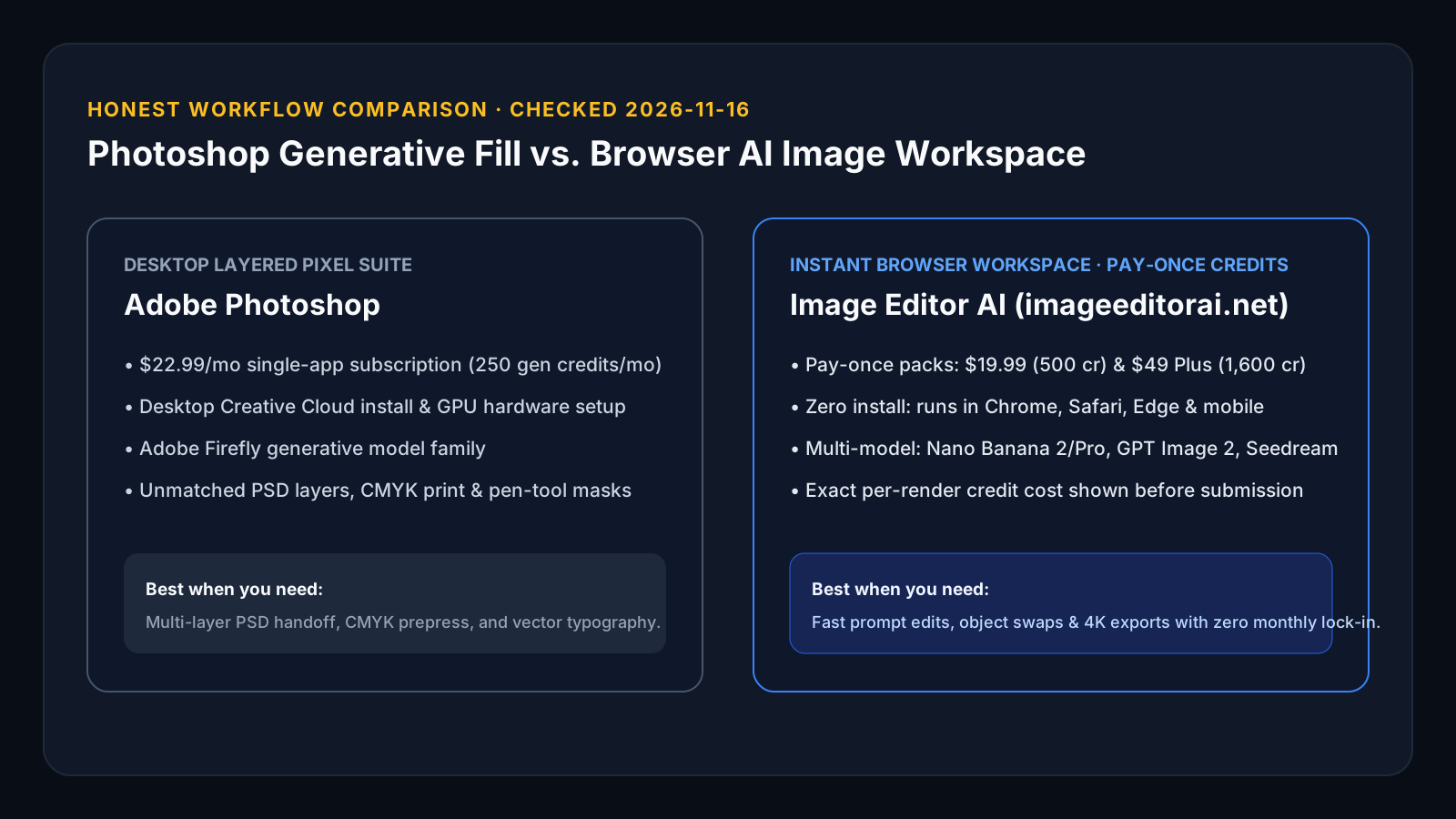
Quick answer: Adobe Photoshop ($22.99/month single app with 250 monthly generative credits, or $19.99/month Photography plan) is unmatched when your deliverable is a layered PSD, CMYK print file, or precision pen-tool composite. Image Editor AI (imageeditorai.net) is built for the opposite case: zero desktop install, instant browser access on any laptop, 7+ selectable AI models (Nano Banana 2 & Pro, GPT Image 2, Seedream 4.0/4.5/5.0 Lite), transparent per-image credit costs, and pay-once credit packs starting at $19.99 (500 credits) or $49 Plus (1,600 credits) with zero monthly lock-in.
Published by Image Editor AI on imageeditorai.net. Adobe plan figures reflect public Adobe Creative Cloud pricing pages checked in late 2026; Adobe does not publish a fixed credit count for every Generative Fill action on its main plan comparison table, so we compare published allowances honestly without inventing per-action Adobe numbers.
- No Creative Cloud install or recurring seat tax: Open /ai-image-generator in any browser and buy one-time packs ($19.99 Try / $49 Plus) only when you have a project.
- Multi-model choice instead of one vendor family: Switch freely between Nano Banana 2 (10 cr @ 2K), Nano Banana Pro (18 cr @ 2K), GPT Image 2 (8 cr), and Seedream 4.5 (4 cr).
- Clear division of labor: Keep Photoshop for layered PSD typography and CMYK print prep; use Image Editor AI for rapid scene swaps, object edits, and 1K–4K concept renders.
Live Credit & Pack Estimator
Calculate Your Exact Per-Photo Cost Before Buying
1. AI Model
2. Export Resolution
3. Number of Edited Photos
- Your batch needs:
- 500 credits (10 cr/photo)
- Pack capacity:
- Up to 50 photos
- Effective rate:
- ~$0.40 / photo (30d validity)
Adobe Photoshop Generative Fill vs. Image Editor AI (2026-11-16)
Both let you transform photos with natural-language prompts, but they differ in runtime environment, billing model, model selection, and layer editing depth.
| Evaluation Point | Adobe Photoshop (Desktop) | Image Editor AI (imageeditorai.net) |
|---|---|---|
| Runtime & installation | Desktop install via Creative Cloud (plus Photoshop Web subset) | 100% browser workspace on desktop & mobile—zero install |
| Entry pricing model | $22.99/mo single-app subscription (250 gen credits/mo) or $19.99/mo Photography plan | Pay-once packs: $19.99 Try (500 cr / 30d), $49 Plus (1,600 cr / 90d), $149.99 Pro (5,500 cr / 90d); optional monthly from $14.99 |
| Published per-edit credit cost | Monthly allowance published; per-action cost varies by feature | Published upfront: Nano Banana 2 is 5/10/15 cr (1K/2K/4K), GPT Image 2 is 8 cr, Seedream 4.5 is 4 cr |
| AI model selection | Adobe Firefly family (+ partner models in selected workflows) | Nano Banana, Nano Banana 2, Nano Banana Pro, GPT Image 2, Seedream 4.0, 4.5 & 5.0 Lite |
| Layered PSD, CMYK & vector text | Yes — industry standard for print & agency PSD handoff | No — flat 1K/2K/4K PNG or JPG exports focused on fast generation & photo edits |
| Free local browser utilities | Requires active plan / trial | 16+ free local browser tools (/free-tools) for crop, resize, WebP/PNG convert & metadata strip |
Honest Buyer’s Matrix: Which One Should You Open?
Recommended: Image Editor AI ($19.99 Try or $49 Plus Pack)
Occasional ecommerce campaign bursts, ad creatives, background swaps, or prompt edits without another monthly bill
Pay once for 500 or 1,600 credits, run edits in your browser immediately, and never worry about canceling a recurring plan.
Recommended: Image Editor AI
Comparing how GPT Image 2 vs. Nano Banana Pro handles complex prompt instructions or scene relighting
Switch between 7+ leading image models inside one credit balance and one browser tab.
Recommended: Adobe Photoshop
Print packaging, magazine layouts, CMYK color proofing, smart objects, and pixel-accurate layer masks
Image Editor AI does not replace a layered desktop compositor or typography engine.
Generative Fill Style Prompts Ready for Browser Studio
Test how browser-based reference editing handles classic Generative Fill jobs—background extension, seasonal scene swap, and lighting conversion.
Product Scene & Lighting Swap
Nano Banana 2 · 2K (10 credits)Keep the skincare bottle, label typography, glass reflections, and camera framing identical; replace the plain studio table with wet dark slate stone surrounded by soft morning mist and warm rim sunlight.
Wide Banner Composition Adaptation
Nano Banana Pro · 4K (30 credits)Recompose this subject into a wide 16:9 hero banner with generous clean negative space on the left side for website headline copy, seamlessly continuing the studio architectural wall and natural floor shadow.
Exterior Day-to-Golden-Hour Relight
GPT Image 2 · (8 credits)Transform the flat overcast daylight on this house exterior into warm late-afternoon golden-hour sunlight with soft interior window glow while keeping every architectural detail, roofline, and tree unchanged.
Scope Boundaries & Honest Tradeoffs
- Image Editor AI is an independent hosted AI image and video workspace and is not affiliated with or endorsed by Adobe Inc.
- There are no PSD layers, brush lasso masks, CMYK color profiles, or vector text layers; exports are flat high-resolution images.
- Hosted AI generation requires purchased credits or an existing balance; local browser utilities under /free-tools remain 100% free.
Frequently Asked Questions
Can I use Image Editor AI in my browser without installing Creative Cloud?
Yes. Image Editor AI runs entirely inside modern desktop and mobile browsers at imageeditorai.net with zero desktop installer or local GPU requirement.
How does the $49 Plus pack compare with a monthly subscription?
The $49 Plus pack is a one-time purchase of 1,600 credits valid for 90 days with zero auto-renewal. At 10 credits per 2K Nano Banana 2 image, 1,600 credits cover 160 high-resolution edits (~$0.31/image), or 320 edits at 1K (5 credits each).
Does Image Editor AI replace Photoshop for layered graphic design?
No. If your workflow requires .psd layer stacks, CMYK print separations, pen-tool clipping paths, or live editable typography, Photoshop remains the right tool. Choose Image Editor AI when you want fast prompt-led generation and source-image edits without a desktop install or recurring commitment.
Which AI models can I choose inside Image Editor AI?
The hosted image workspace includes Nano Banana, Nano Banana 2, Nano Banana Pro, GPT Image 2, Seedream 4.0, Seedream 4.5, and Seedream 5.0 Lite, with exact credit cost shown before each run.
Related Photo Editing Workflows & References
Workflow Guide
Inpaint & Replace Object
Swap objects, props, clothing, or clutter in any photo using a text prompt on imageeditorai.net. Multi-model 1K/2K/4K exports with pay-once packs from $19.99.
Workflow Guide
Headshot & Portrait Retouch
Retouch portraits and turn single photos into executive headshots on imageeditorai.net. Keep real facial identity and upgrade lighting from ~$0.31/2K edit.
Full 3-Way Breakdown
Photoshop vs. Krea vs. Image Editor AI
Compare desktop pixel suites, model playgrounds, and credit-based browser workspaces side by side.