
Image Editor AI · Portrait & Team Headshot Studio · 2026-11-16
AI Headshot & Portrait Retouch Studio — Natural Skin, Studio Light, 1 Photo Input
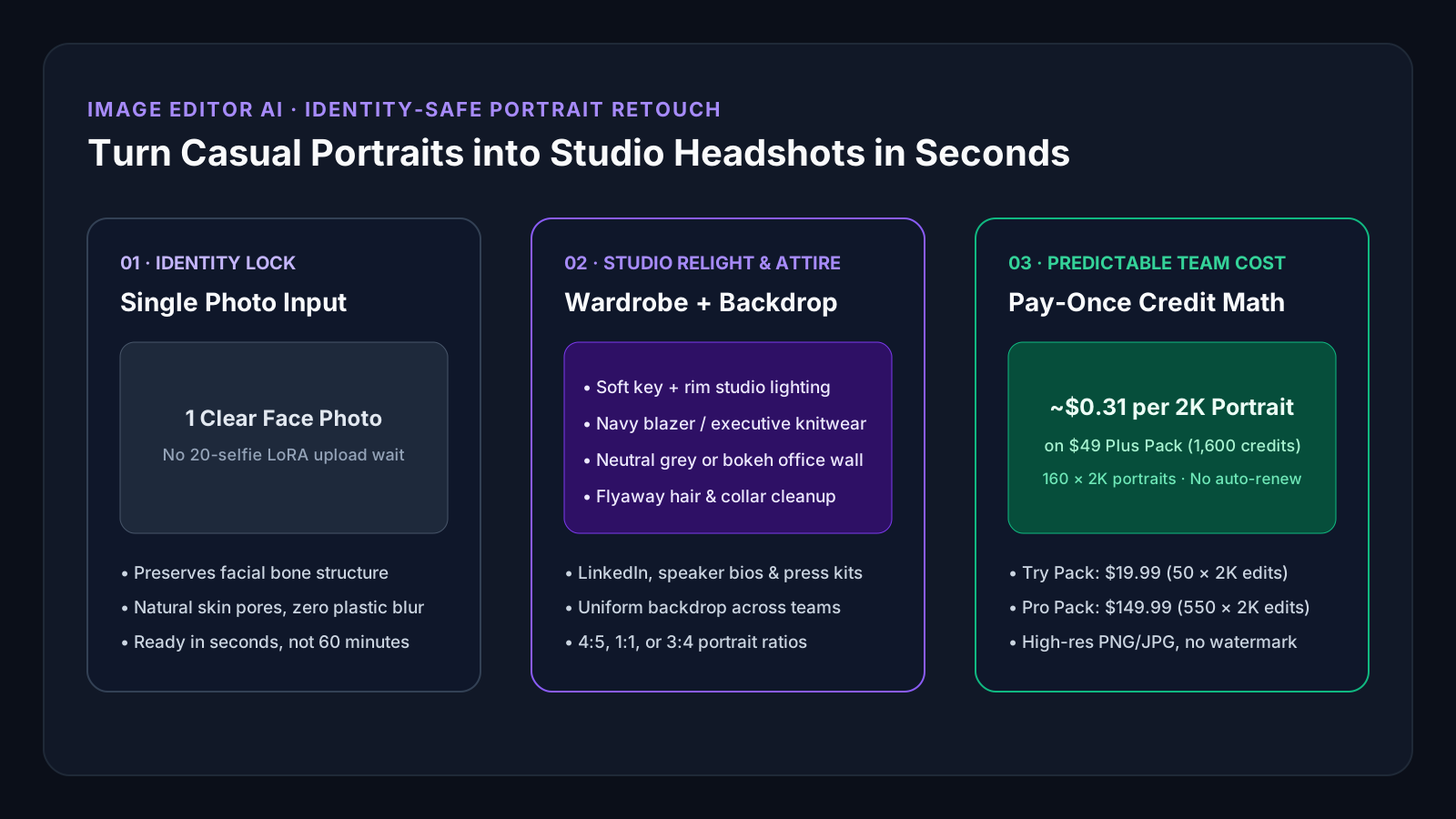
Quick answer: Most AI headshot generators ask you to upload 15–20 selfies, pay $29–$59 per person, and wait 45–90 minutes for a synthetic face model that often looks slightly like a stranger. Image Editor AI works from 1 clear portrait in image-to-image mode: it keeps your actual facial geometry while upgrading lighting, attire, flyaways, and studio backdrop in seconds. On the $49 Plus pack (1,600 credits, 90 days), 160 high-res 2K portrait edits work out to ~$0.31 each—usable across your whole team.
Published by Image Editor AI on imageeditorai.net (checked 2026-11-16). Per-portrait credit figures are calculated directly from the published model credit table and live USD packs.
- 1 clear photo in, seconds out: Skip 20-selfie training queues and edit actual portraits so colleagues and clients still recognize you immediately.
- Whole-team shared workspace: Unlike per-person headshot apps locked to one face, a single $49 Plus pack (1,600 cr) covers ~160 2K portraits across multiple team members.
- Natural skin & eyewear fidelity: Prompt Nano Banana Pro (18 cr @ 2K) or Nano Banana 2 (10 cr @ 2K) to keep skin pores, freckles, and eyeglass frames intact without waxy airbrushing.
Live Credit & Pack Estimator
Calculate Your Exact Per-Photo Cost Before Buying
1. AI Model
2. Export Resolution
3. Number of Edited Photos
- Your batch needs:
- 500 credits (10 cr/photo)
- Pack capacity:
- Up to 50 photos
- Effective rate:
- ~$0.40 / photo (30d validity)
Single-Photo Portrait Retouch vs. Multi-Selfie Headshot Generators
Choose based on whether you want a fast, truthful upgrade of real portraits across any number of people or a long batch of synthetic studio poses for one individual.
| Evaluation Point | 20-Selfie LoRA Headshot Apps | Image Editor AI (imageeditorai.net) |
|---|---|---|
| Upload requirement | Typically 10–20 selfies from multiple angles | 1 well-lit portrait or phone photo per person |
| Turnaround speed | 30–90 minutes waiting for custom model training | Interactive single-pass generation in seconds |
| Multi-person / team usage | Charged per individual ($29–$59 per person) | Credits work on any portrait—standardize 10–50 staff bios on one $49 Plus pack |
| Identity & skin realism | Can alter jawlines, teeth, or smooth skin plastically | Reference-guided edit preserves bone structure, natural skin texture, and glasses |
| Resolution & watermark | Varies by tier | 1K, 2K, and 4K PNG/JPG downloads with zero watermark on paid credits |
When to Use Image Editor AI for Portraits
Recommended: Image Editor AI ($49 Plus Pack · 1,600 cr)
Standardizing 15 employee "About Us" photos taken on different phones into matching grey studio backdrops
One shared pack covers up to 160 × 2K Nano Banana 2 runs or 88 × 2K Nano Banana Pro runs with consistent prompt presets.
Recommended: Image Editor AI ($19.99 Try Pack · 500 cr)
Upgrading a casual founder portrait for LinkedIn, podcast cover, or conference speaker bio right now
No 60-minute queue—test multiple lighting, blazer, and backdrop variations in minutes.
Recommended: Dedicated Retoucher + Desktop Pixel Suite
High-fashion editorial magazine retouching requiring manual frequency separation layers
Bespoke beauty print campaigns still benefit from manual dodge-and-burn layer stacks.
Executive & Creator Portrait Prompt Templates
Copy any preset below, open the studio in image-to-image mode, upload one clear eye-level portrait, and generate at 2K or 4K.
Executive Studio Grey Headshot
Nano Banana Pro · 2K (18 credits)Retouch this portrait into an executive studio headshot: keep the person’s exact facial features, expression, natural skin texture, and glasses unchanged; dress in a tailored dark navy blazer over a crisp light shirt; place against a clean warm charcoal studio backdrop with soft 45-degree key light and subtle hair rim light.
Founder Natural Daylight Bio
Nano Banana 2 · 2K (10 credits)Upgrade this photo into a warm modern founder portrait: preserve exact facial identity, smile, skin pores, and hairstyle; tidy flyaway hair and uneven shirt wrinkles; replace background with a softly blurred sunlit architectural office interior at 85mm f/2 depth of field.
Subtle Lighting & Flyaway Cleanup Only
GPT Image 2 · (8 credits)Keep the exact outfit, pose, face, and background location, but balance harsh overhead shadows on the face, remove stray flyaway hairs, reduce under-eye glare from glasses, and deliver crisp natural color grading without plastic skin smoothing.
Scope Boundaries & Honest Tradeoffs
- Source photo quality still matters: avoid heavy motion blur, extreme wide-angle selfie distortion held 15cm from the nose, or faces covered by sunglasses.
- Only upload portraits you have permission to edit; our Acceptable Use Policy strictly prohibits non-consensual likeness manipulation or impersonation.
- Hosted generation requires purchased credits; use free /free-tools/image-cropper or /free-tools/social-image-size-converter afterward at zero credit cost.
Frequently Asked Questions
Will AI portrait retouching change what my face looks like?
When you upload a clear front-facing photo in image-to-image mode and explicitly instruct the model to preserve facial features and natural skin texture (as in our templates above), Nano Banana Pro and Nano Banana 2 retain your recognizable identity while changing lighting, backdrop, and wardrobe.
Can one credit pack be used to edit headshots for our whole company team?
Yes. Credits belong to your workspace account and are not locked to a single person’s face. A $49 Plus one-time pack (1,600 credits, valid 90 days) provides 160 edits at 2K on Nano Banana 2 or 88 edits at 2K on Nano Banana Pro.
What aspect ratio should I choose for LinkedIn and company bios?
Select 1:1 for circular LinkedIn/Slack avatars or 4:5 / 3:4 vertical portrait ratios for speaker bios and company team grids. You can also crop final exports locally for free using /free-tools/social-image-size-converter.
Are exported headshots watermark-free for commercial press kits?
Yes. Paid credit packs export high-resolution images without any Image Editor AI watermark, governed by our published Terms of Service.
Related Photo Editing Workflows & References
Workflow Guide
Inpaint & Replace Object
Swap objects, props, clothing, or clutter in any photo using a text prompt on imageeditorai.net. Multi-model 1K/2K/4K exports with pay-once packs from $19.99.
Workflow Guide
Photoshop Generative Fill Alternative
Need generative photo edits without a $22.99/mo desktop install? Compare Photoshop Generative Fill vs Image Editor AI on imageeditorai.net from $19.99.
Full 3-Way Breakdown
Photoshop vs. Krea vs. Image Editor AI
Compare desktop pixel suites, model playgrounds, and credit-based browser workspaces side by side.