
Image Editor AI · Prompt-Led Object Replacement · 2026-11-16
AI Inpaint & Replace Object with Prompt — No Brush Masking Required
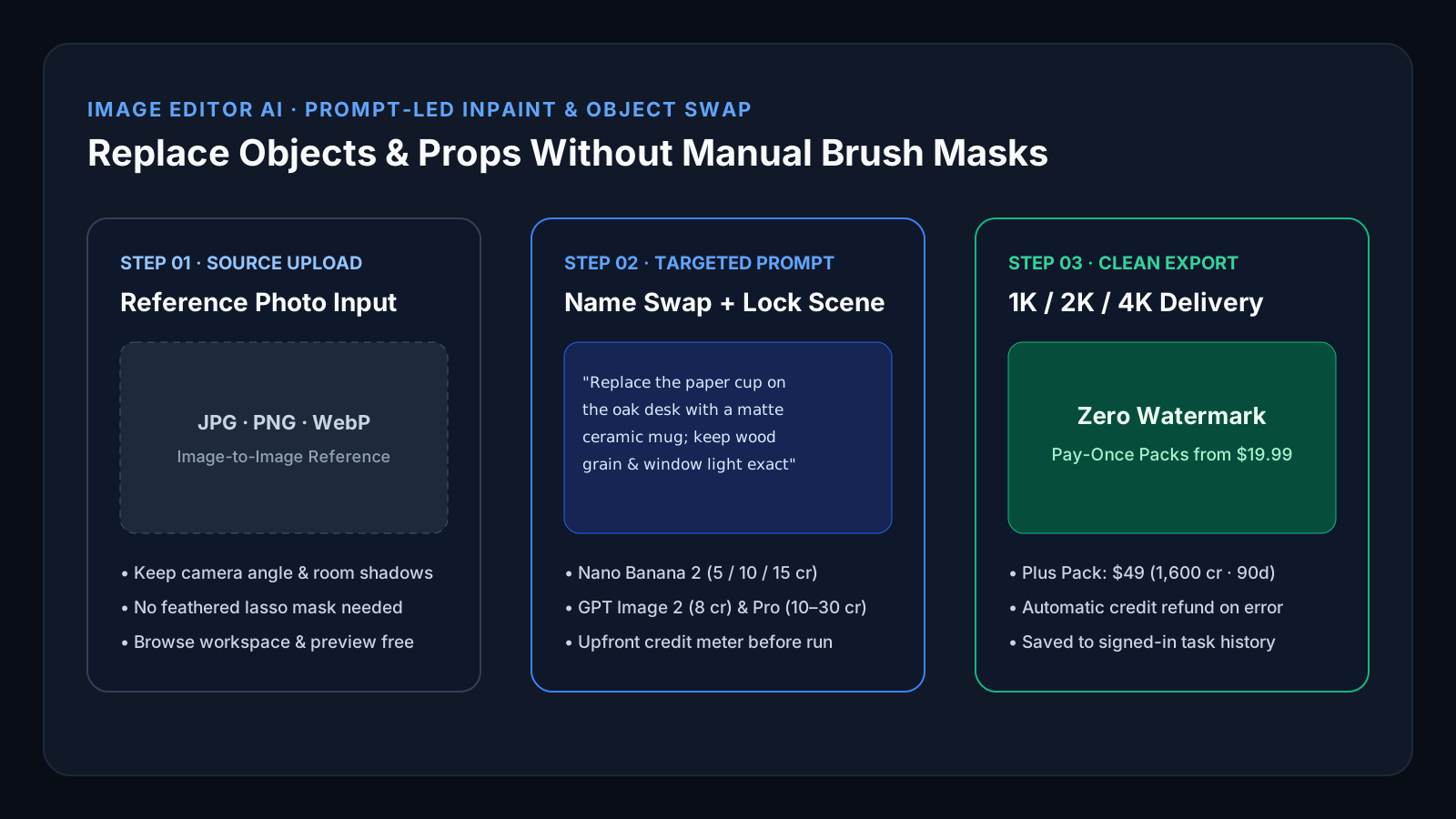
Quick answer: Instead of painting feathered lasso masks by hand, upload your reference photo in Image Editor AI’s image-to-image workspace and state two things in plain English: what object to replace and what surrounding lighting, camera angle, and subject details must stay untouched. A standard 2K edit on Nano Banana 2 uses 10 credits (~$0.31 per image on the $49 Plus pay-once pack of 1,600 credits, or $0.40 on the $19.99 Try pack of 500 credits) with zero watermark and no recurring subscription.
Published by Image Editor AI on imageeditorai.net (checked 2026-11-16). Credit costs and one-time/subscription prices match the live catalog in pricing-catalog.ts.
- Zero manual mask halos: Reference-guided models (Nano Banana 2, Nano Banana Pro, GPT Image 2) recalculate contact shadows and reflections around the replaced object automatically.
- Transparent per-edit math: 5 credits at 1K, 10 credits at 2K, or 15 credits at 4K on Nano Banana 2 — shown inside the studio before you click generate.
- Pay-once packs with automatic failure protection: Start with $19.99 Try (500 cr, 30d) or $49 Plus (1,600 cr, 90d); if a paid job fails upstream, spent credits return automatically.
Live Credit & Pack Estimator
Calculate Your Exact Per-Photo Cost Before Buying
1. AI Model
2. Export Resolution
3. Number of Edited Photos
- Your batch needs:
- 250 credits (10 cr/photo)
- Pack capacity:
- Up to 50 photos
- Effective rate:
- ~$0.40 / photo (30d validity)
Prompt-Led Object Swap vs. Brush-Mask Inpainting
Traditional brush-mask tools force you to trace object edges pixel by pixel—and often leave blurry seams when the new object casts a different shadow shape.
| Evaluation Point | Manual Brush Mask Inpainting | Image Editor AI (imageeditorai.net) |
|---|---|---|
| Selection & prep time | 30–120 seconds painting brush/lasso masks per photo | Upload photo + type 1 sentence naming the target swap and preserved scene |
| Contact shadows & reflections | Restricted to the painted mask boundary; often clips shadows | Re-synthesizes natural desk, floor, and glass reflections around the new item |
| Selectable AI image models | Usually locked to a single proprietary inpaint model | Nano Banana 2, Nano Banana Pro, GPT Image 2, Seedream 4.0 / 4.5 / 5.0 Lite |
| Export resolution & watermark | Often capped at 1024px or stamped on entry tiers | 1K, 2K, and 4K high-resolution exports with zero watermark on paid credits |
| Pricing commitment | Recurring monthly seat subscription common | Pay-once packs ($19.99 Try / $49 Plus / $149.99 Pro) or optional monthly/yearly plans |
Which Editing Workflow Fits Your Job?
Recommended: Image Editor AI (Image-to-Image)
Swapping product props, cups, bags, garments, or table decor in ecommerce photos
Prompt-led editing adapts shadows and perspective when the new object has a different silhouette than the old one.
Recommended: Image Editor AI (Nano Banana 2 or GPT Image 2)
Removing tourists, power lines, or tabletop clutter while keeping room lighting intact
Describing the clean background texture reconstructs wood grain, tile, or foliage without clone-stamp repetition.
Recommended: Desktop Layered Editor (Photoshop)
Exact pixel-coordinate retouching on a multi-layer CMYK print PSD
When a print house requires separate editable PSD layers and CMYK color profiles, use a desktop pixel editor.
Copy-Ready Object Swap Prompts (Tested Structure)
Every high-precision object replacement prompt follows a 3-part formula: [1] exact item to remove/replace, [2] material & style of the replacement, and [3] explicit lock on camera angle, subject face, and lighting.
Ecommerce Desk Prop Swap
Nano Banana 2 · 2K (10 credits)Replace the disposable paper coffee cup on the oak table with a minimal matte stoneware mug in warm sand; keep the laptop, hands, window side-lighting, wood grain, and shallow depth of field unchanged.
Outfit & Jacket Replacement
Nano Banana Pro · 2K (18 credits)Replace the casual grey hoodie with a tailored charcoal wool blazer over a crisp white crew-neck tee; preserve the person’s exact face, skin tone, glasses, hairstyle, posture, and studio background.
Clutter & Bystander Removal
GPT Image 2 · (8 credits)Remove the parked scooter and trash bin behind the subject and reconstruct the clean limestone cafe facade and cobblestone sidewalk; keep the subject, outfit, and golden-hour sunlight identical.
Scope Boundaries & Honest Tradeoffs
- Generation requires purchased credits or an existing account balance; browsing the workspace and local /free-tools utilities is free.
- Image Editor AI is a prompt-driven generation workspace, not a multi-layer PSD/vector canvas—it does not export layered .psd files.
- Small printed serial numbers or fine legal micro-copy on packaging should always be inspected at 2K/4K zoom before commercial publishing.
Frequently Asked Questions
Do I need to paint a mask to replace an object on Image Editor AI?
No. Upload your source image in the image-to-image mode of /ai-image-generator and describe which object to replace and which elements to keep unchanged. Models such as Nano Banana 2, Nano Banana Pro, and GPT Image 2 localize the edit from your prompt while preserving surrounding lighting.
How many credits does one object replacement edit cost?
On the default Nano Banana 2 model, an image-to-image edit costs 5 credits at 1K, 10 credits at 2K, and 15 credits at 4K. GPT Image 2 costs 8 credits, Seedream 4.5 costs 4 credits, and Nano Banana Pro costs 10/18/30 credits for 1K/2K/4K. Exact cost is displayed before you submit.
Can I buy credits once without a monthly subscription?
Yes. One-time packs require zero subscription: Try is $19.99 for 500 credits (valid 30 days), Plus is $49 for 1,600 credits (valid 90 days), Pro is $149.99 for 5,500 credits (valid 90 days), and Max is $299.99 for 12,000 credits (valid 365 days).
What happens if an AI edit fails to generate?
If an upstream model provider fails to complete a paid generation job, the spent credits are automatically refunded to your account balance with their original expiry preserved.
Related Photo Editing Workflows & References
Workflow Guide
Headshot & Portrait Retouch
Retouch portraits and turn single photos into executive headshots on imageeditorai.net. Keep real facial identity and upgrade lighting from ~$0.31/2K edit.
Workflow Guide
Photoshop Generative Fill Alternative
Need generative photo edits without a $22.99/mo desktop install? Compare Photoshop Generative Fill vs Image Editor AI on imageeditorai.net from $19.99.
Full 3-Way Breakdown
Photoshop vs. Krea vs. Image Editor AI
Compare desktop pixel suites, model playgrounds, and credit-based browser workspaces side by side.